![GoTab Logo - White.png]](https://success.gotab.io/hs-fs/hubfs/GoTab%20Logo%20-%20White.png?height=40&name=GoTab%20Logo%20-%20White.png)
You can easily transfer any tab on the POS to another staff member.
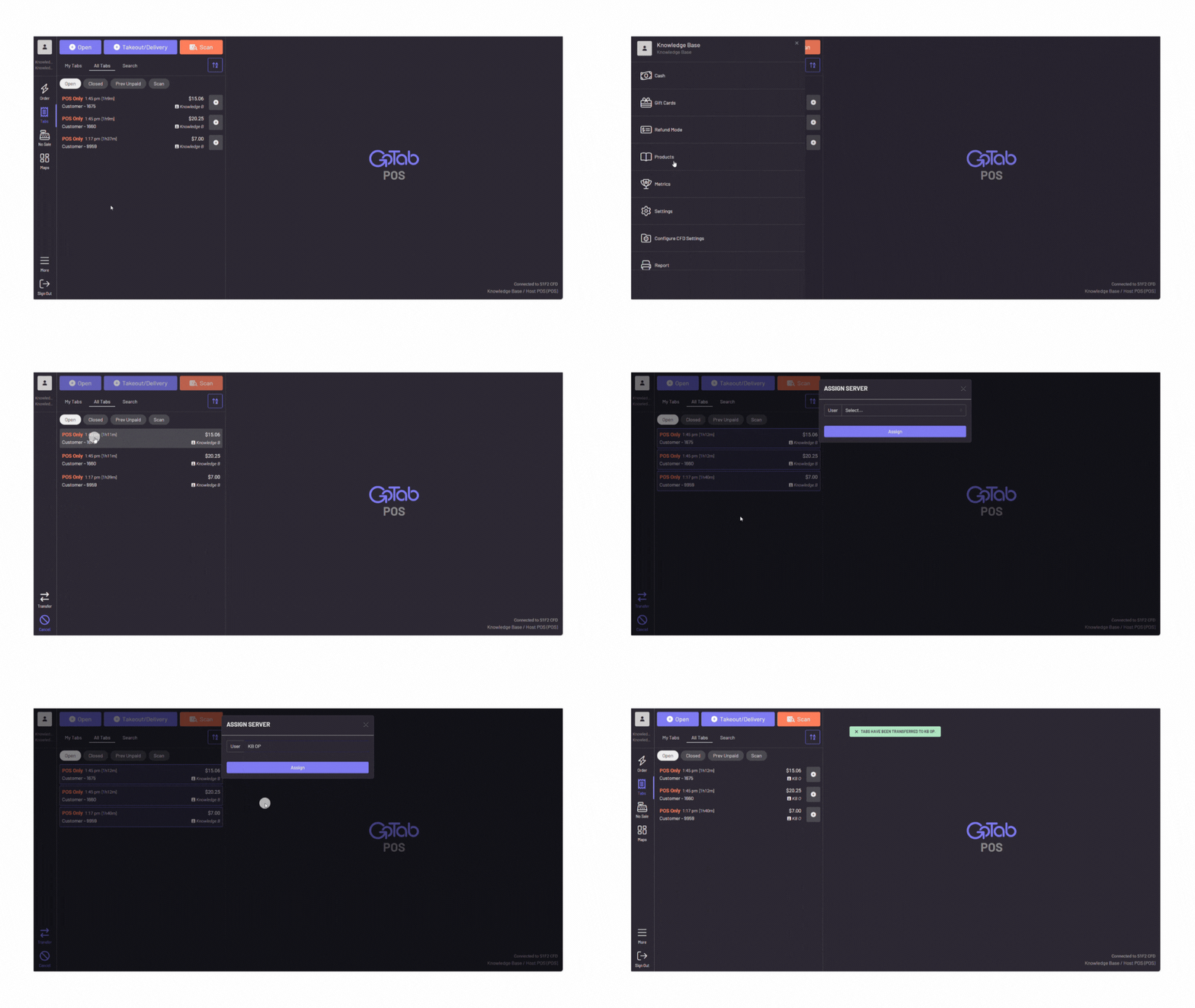
In the POS, navigate to More
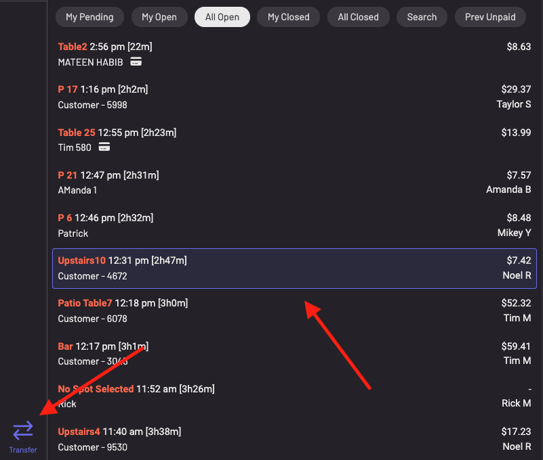
1. Press Transfer Tabs2. Choose the tab(s) you wish to transfer
3. Press "transfer" on the bottom left corner
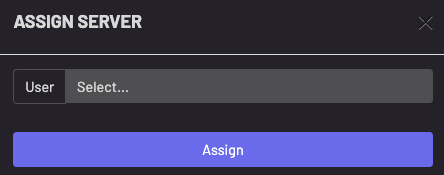
5. The newly assigned user will now be the owner of the tab(s) and the sales and tips will show on their user report