![GoTab Logo - White.png]](https://success.gotab.io/hs-fs/hubfs/GoTab%20Logo%20-%20White.png?height=40&name=GoTab%20Logo%20-%20White.png)
You can sort items on the KDS or printed tickets by navigating to Location Settings--Edit--Display Settings in the manager dashboard.
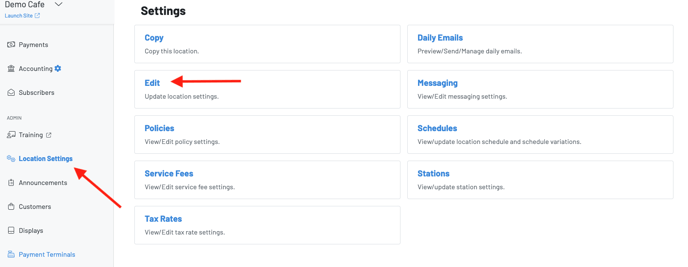
You will then scroll down to Display Settings > "KDS/Chit Sort Order"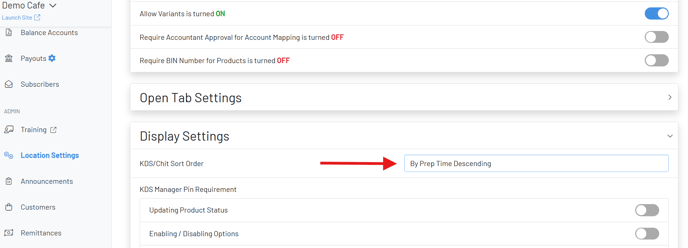
You have the following options to sort Items on the KDS:
- Alphabetical - Products displayed A-Z
- Chronological - Products displayed in the order rung in
- By Prep Time: Ascending or Descending - Longer prep time items to shortest or shortest prep time items to longest
- By Category - Products displayed in the same order as the Product Catalog, grouped categories
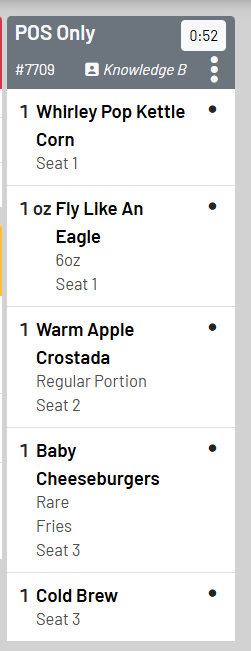
- By Seat- Products are grouped by seats (shown below)