![GoTab Logo - White.png]](https://success.gotab.io/hs-fs/hubfs/GoTab%20Logo%20-%20White.png?height=40&name=GoTab%20Logo%20-%20White.png)
Add Tip to Current Day's Tab
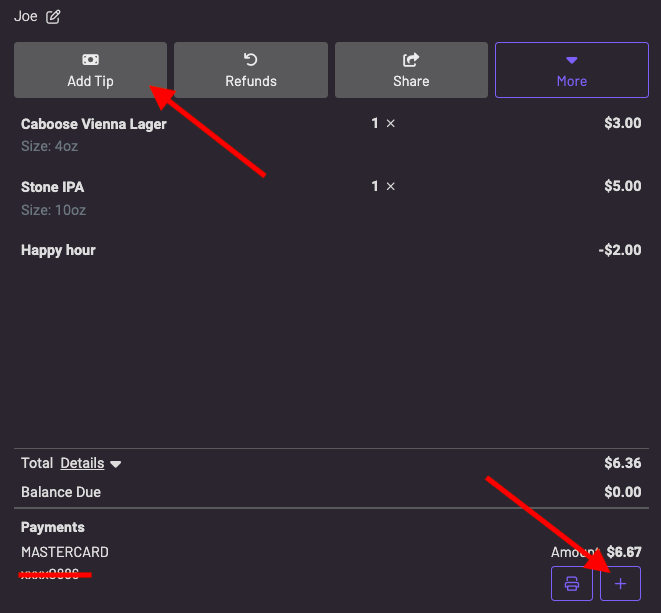
You can press "add tip" at the top or the "+" button at the bottom.
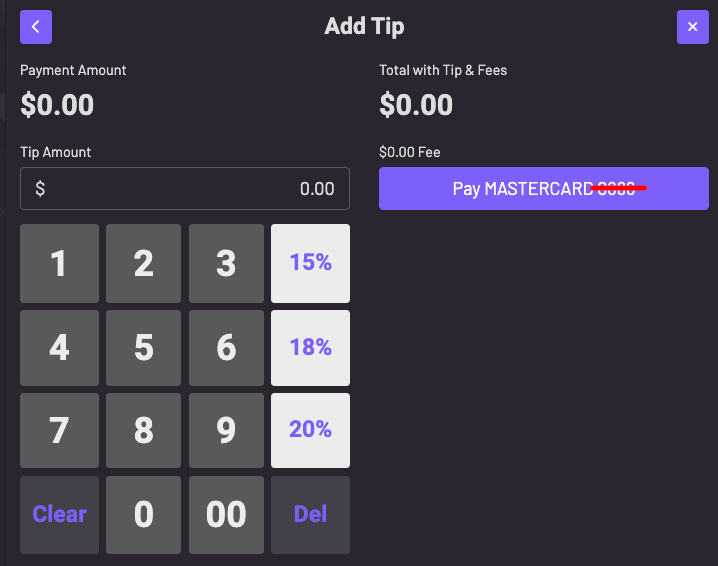
You can manually add the tip or press a tip percentage of the tab:
Add Tip to Previous Day's Tab
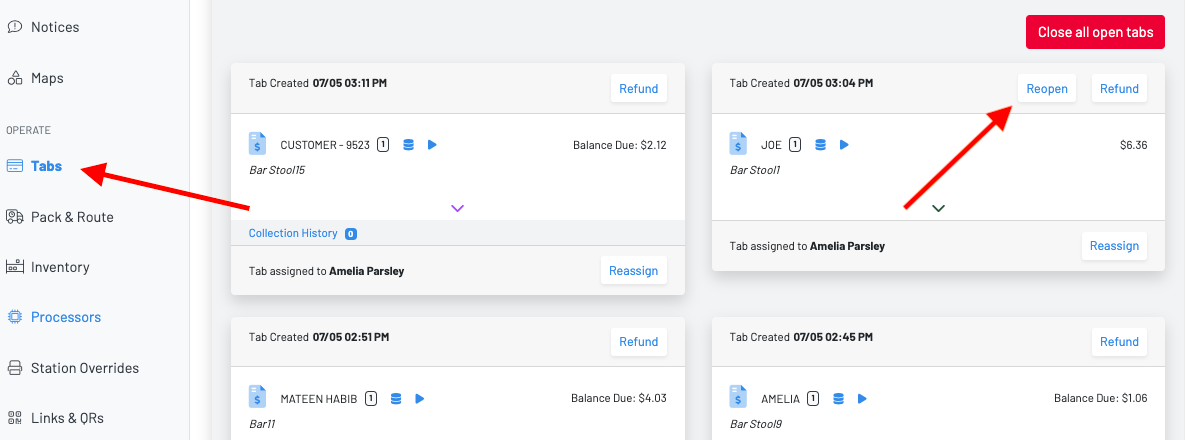
To add a tip to a closed tab from a previous day, you will need to reopen the tab on the Manager Dashboard through the tabs page:
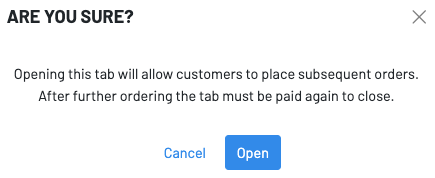
Once reopened, you can find the tab under All Tabs--Prev Unpaid in the POS and add a tip.