![GoTab Logo - White.png]](https://success.gotab.io/hs-fs/hubfs/GoTab%20Logo%20-%20White.png?height=40&name=GoTab%20Logo%20-%20White.png)
There are many scenarios where you may need to add a service fee to a tab. To do this, the tab must already be created. Best practice is to apply the service fee once you are finished adding to the tab as this service fee is applied to all existing sent orders and will not be applied to future orders added to the tab unless you go in and apply it again to "Change All" (see image below).
Navigate to the tab > More > Disc. & Fees > Service Fees 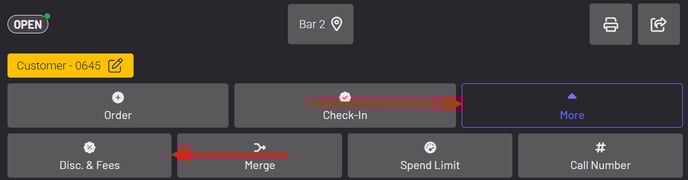
You can then select a service fee to add to the tab.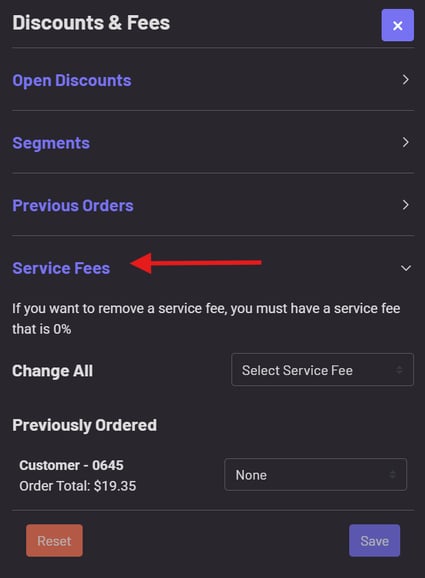
If you do not see any service fees to add, you will need to create one. To learn how to create a new service fee, click here.