![GoTab Logo - White.png]](https://success.gotab.io/hs-fs/hubfs/GoTab%20Logo%20-%20White.png?height=40&name=GoTab%20Logo%20-%20White.png)
You can create "refund reasons" to associate with each refund, discount, comp, or void you issue.
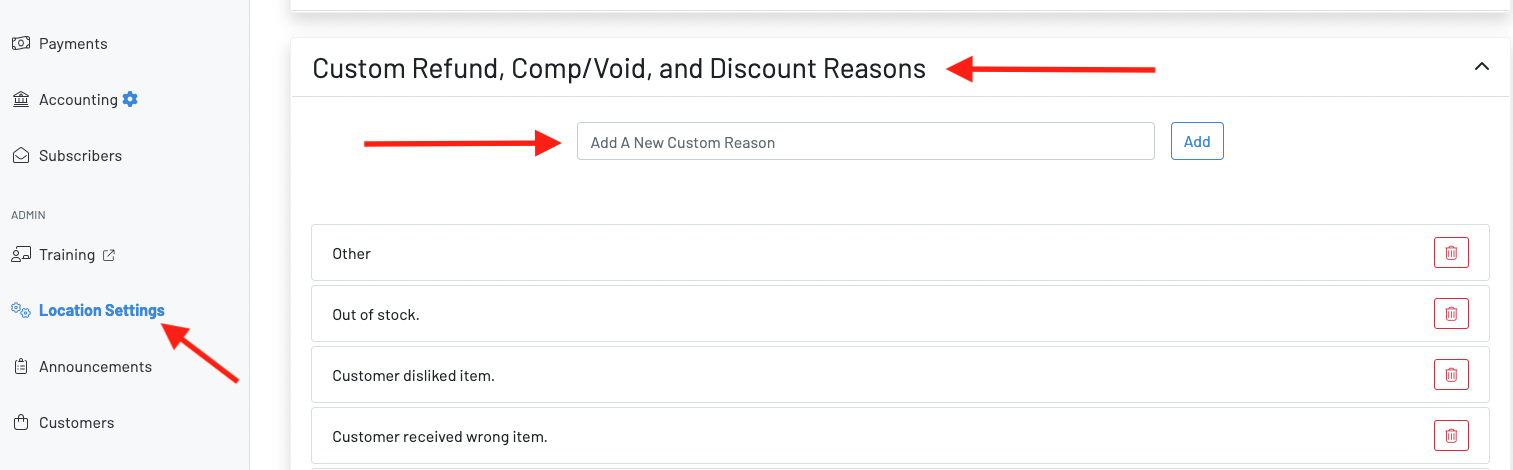
1. To create a refund reason, navigate to your Manager Dashboard > Location Settings > Edit
2. Scroll to the bottom and open the drop-down for “Custom refund, comp/void, and discount reasons”
3. Add or delete any refund reasons
You will then be able to choose one of these options when issuing a refund, discount, comp, or void.