![GoTab Logo - White.png]](https://success.gotab.io/hs-fs/hubfs/GoTab%20Logo%20-%20White.png?height=40&name=GoTab%20Logo%20-%20White.png)
To configure auto-text on fulfillment at your location, navigate to your zones.
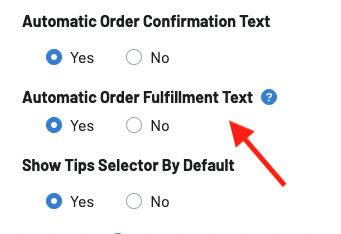
- Find the zone you want to configure this setting for and click on the zone settings
- Select "Yes" on the "Automatic Order Fulfillment Text"
3. Navigate to your Display settings or KDS settings
4. Display Settings: Click on the gear icon next to the display of your choice and toggle on "Auto-Text On Fulfillment" 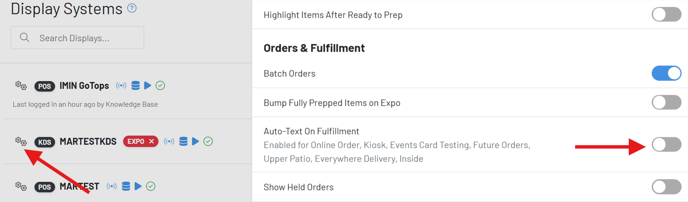
4. KDS Settings: Under Orders & Fulfillment, toggle on "Auto-Text On Fulfillment"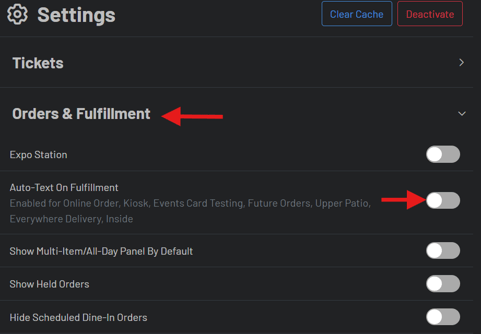
When this is configured correctly, upon fulfilling a ticket on your KDS, a guest will automatically be sent a message letting them know their order has been fulfilled.
To learn how to change the default messages that are sent upon fulfillment, click here.