![GoTab Logo - White.png]](https://success.gotab.io/hs-fs/hubfs/GoTab%20Logo%20-%20White.png?height=40&name=GoTab%20Logo%20-%20White.png)
Operators should be mindful of keeping configuration consistent between GoTab and Label-Printing Scales. (Item Codes and prices)
What are price embedded barcodes?
Price embedded barcodes will allow you to scan a product and within the barcode, a unit price is embedded. Then, you take that just scanned product and weigh it. With the price embedded in the barcode, once you weigh the product, the final price will automatically populate on the tab. (Think grocery store where you weigh a product and it prints a barcode that you scan at checkout. The price is embedded within that barcode so when you scan at checkout, the correct amount is added to your cart).
How to Configure Price Embedded Barcodes
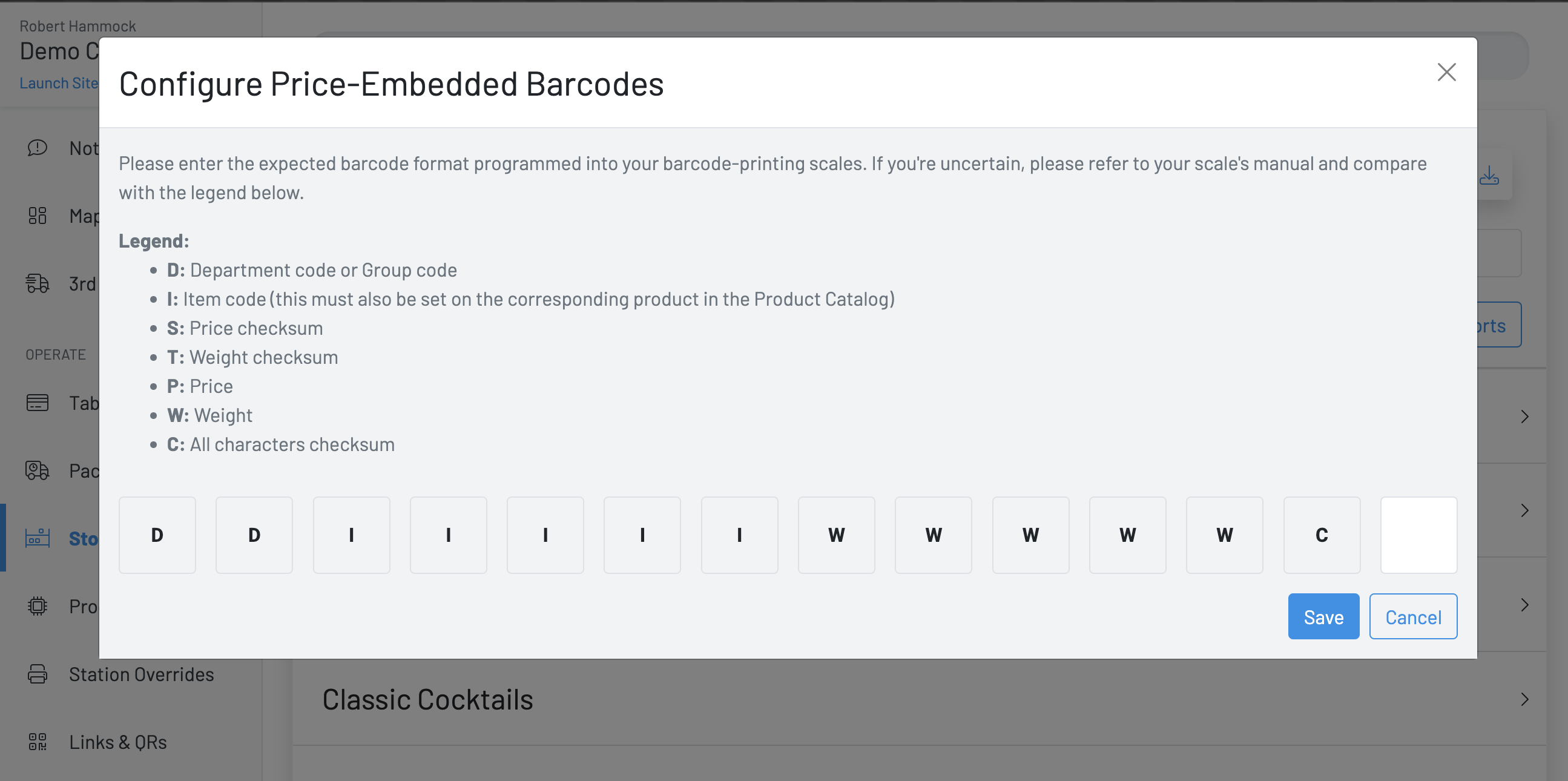
Click the barcode icon on the Stock Levels Page of the Manager Dashboard.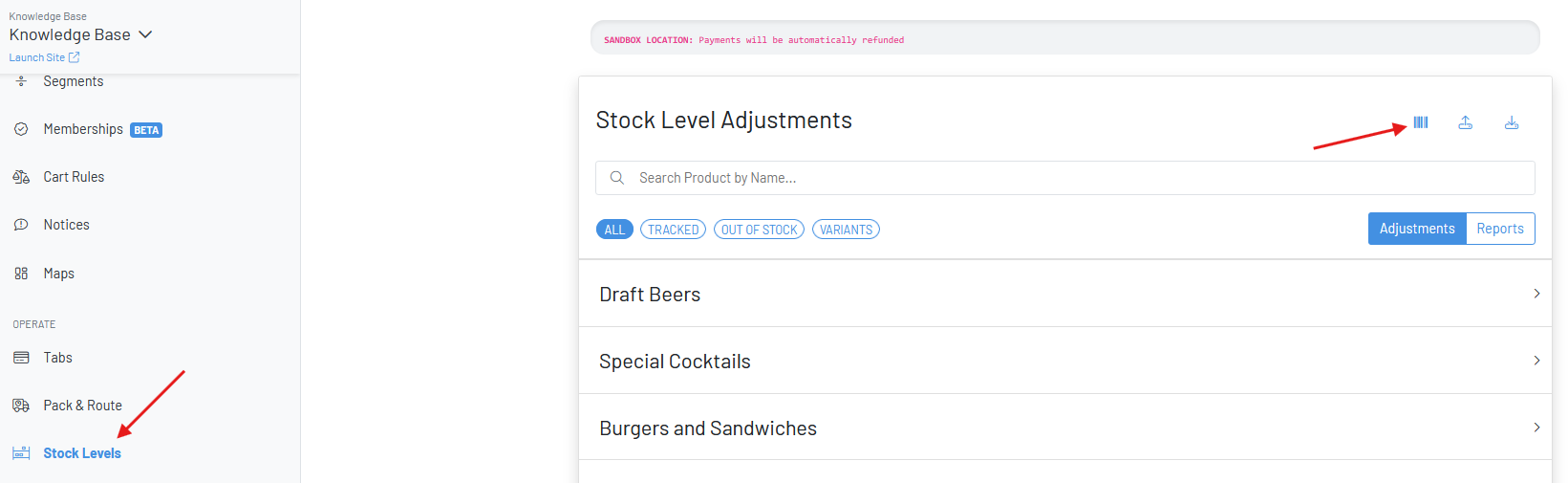 A modal will appear prompting you to enter the “barcode mask” we should expect when scanning one of these barcodes on the POS or Kiosk. Each of these letters corresponds to a number in the barcode. For now, this feature is only concerned with the Item Code, Price, and Weight characters. Often the mask will only include Item Code, and either Price or Weight due to character limitations (typically 13 digits in the barcode)
For the mask below, we would expect to parse the following from the barcode: 0000101003245 (we ignore leading zeros for these values)
Item Code: 101If this barcode was scanned on the POS or Kiosk, we find the product that has a matching Item Code, then set the product’s quantity to the weight, which would calculate the price based on the product’s base price setting.
Weight: 324 (3.24 lbs, or whatever price by weight value the product is set to)
If this mask replaced the W characters for P, we would now be parsing the price from the barcode. Price is in pennies when stored in the barcode. This price in the barcode is the total price for the item. In this case, we divide the barcode price from the product’s base price to get the weight, and set the quantity accordingly.
If there’s a mismatch between the price set in GoTab and on the scale, then the price printed on the label may not match
 The products that will be used by this feature MUST have an Item Code set AND have a value set for Price by Weight. The Item Code field is available when creating or editing a product. The product should also have a base price set.