![GoTab Logo - White.png]](https://success.gotab.io/hs-fs/hubfs/GoTab%20Logo%20-%20White.png?height=40&name=GoTab%20Logo%20-%20White.png)
On Tuesday 3/17 around 8AM US Eastern, we will release some POS UI improvements These improvements are designed to streamline the POS ordering UI, remove some redundancies, reduce accidental button presses and with future features in mind.
New Customer Profile Icon
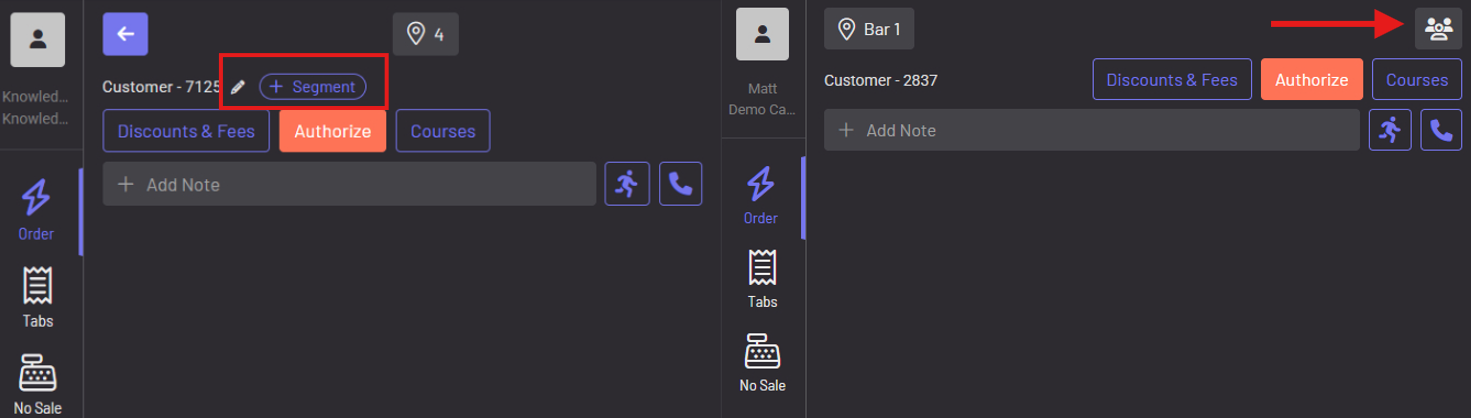
The original segment button and pencil icon to edit the name of the tab will consolidate into a single Profile Icon in the upper right. This streamlines the UI and groups certain editing of tab information into one consolidated area.
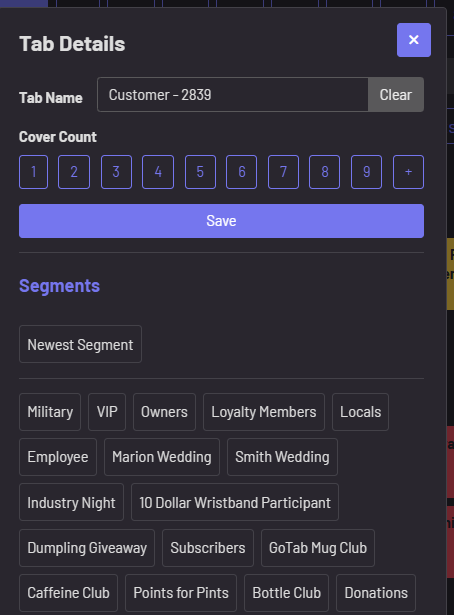
From one tap of the profile icon, staff can rename the tab, adjust cover counts and manage segments.
Streamlined Discounts & Fees
The Discounts & Fees will now only show the Open Discounts section and any discounts applied to the order. 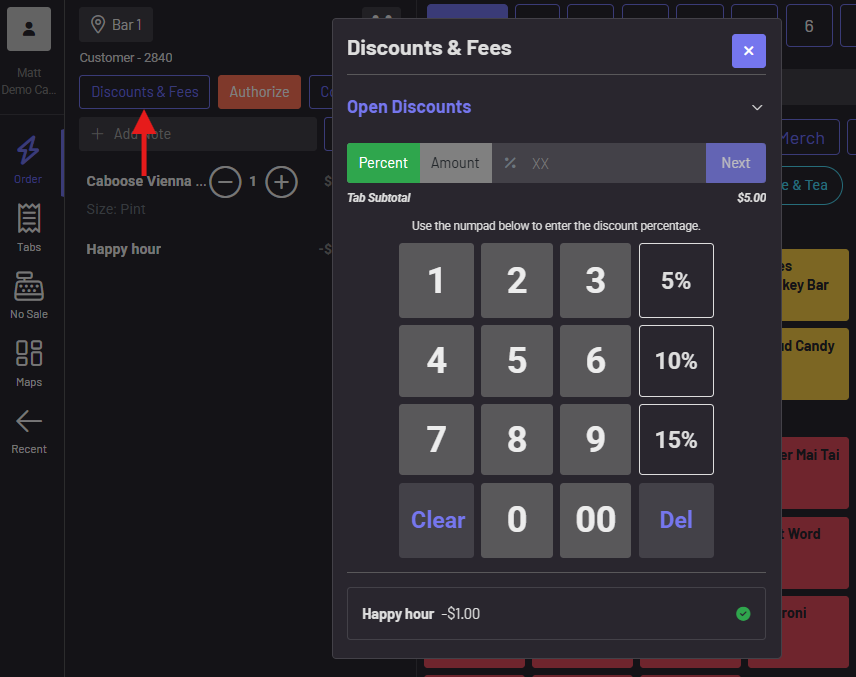
Back Button Removed
The back button has been eliminated to reduce any instances of unintentionally not sending an order or leaving an order pending. The spot name now takes the back button's old place. These changes, along with moving segments to the profile icon, consolidates the UI and helps eliminate some unintentional clicks of either the authorize or segment button that could previously occur. 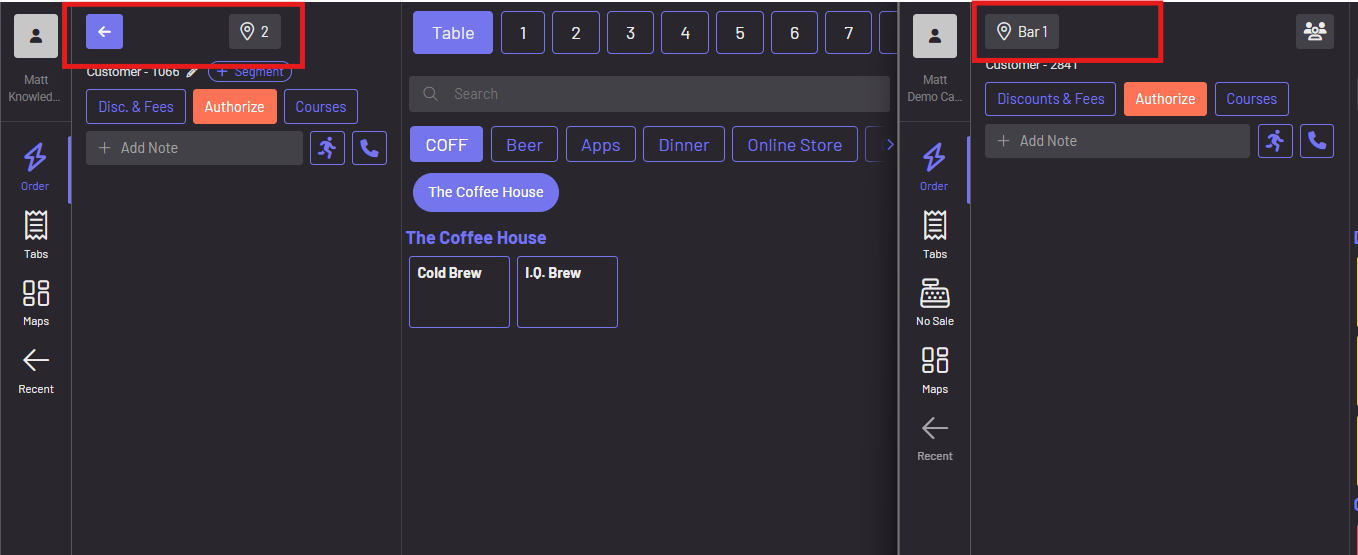
Segment Displayed on Open Tabs
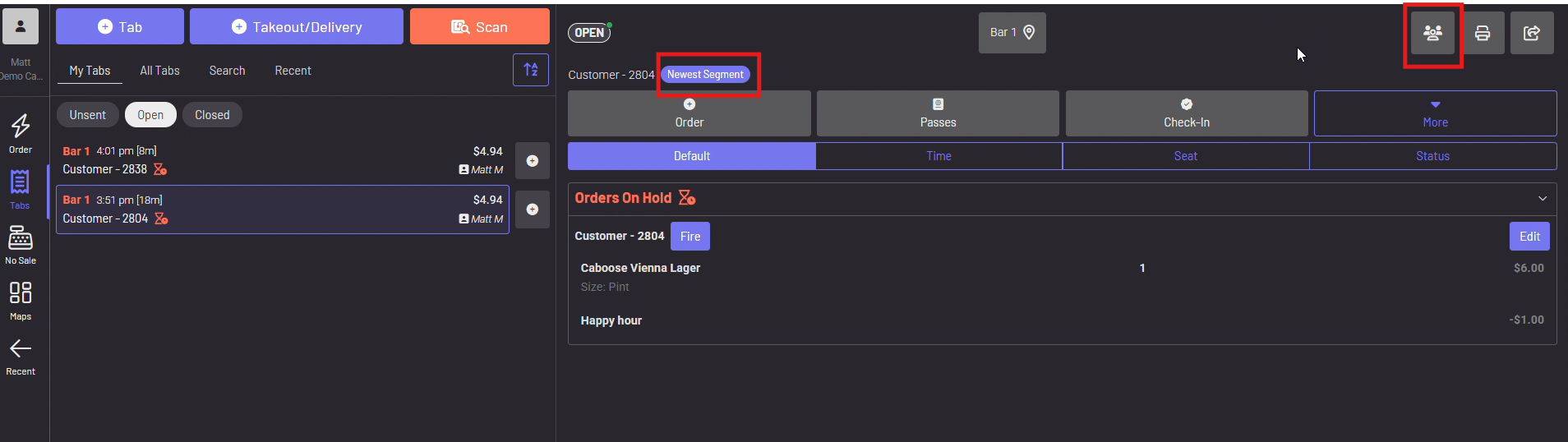
Segments applied to a tab are now visible next to the customer name on open tabs, giving staff a clearer at-a-glance-view. The new Profile Icon will also be accessible on any open tab, as well.